
Click track
Click track software built for the stage
segue plays your click track and stems the moment you hit GO. Every file starts on one shared audio timestamp, so the click and the tracks stay together. Nothing else has to be running.
No credit card required.
Click to the band. Tracks to the house.
An Audio Patch names a device and maps its outputs to physical channels. Every stem role points at a patch show wide, and any cue can override a single stem. Each output is either program (the audience) or monitor (the performer). The master fader rides program only, so pulling the house down never takes the click out of someone's ears.
A click that keeps its place
When consecutive cues share the same click file, the click keeps rolling and only the other stems restart. Operator timing cannot pull the stems out of alignment.
Know the bar at a glance
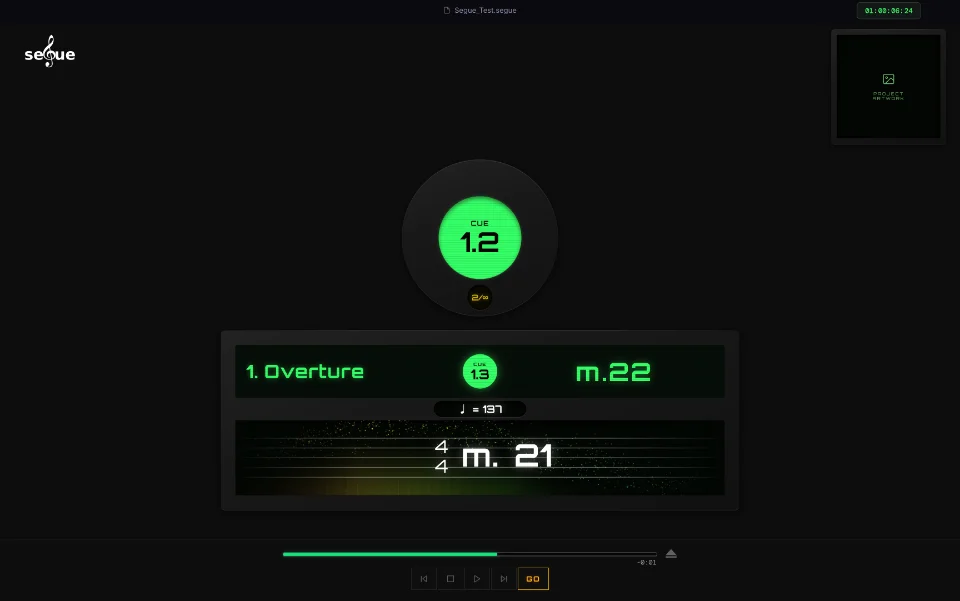
Score at a Glance reads the measure number from the click track's audio itself. You see key signature, time signature, tempo and a live bar countdown to the next cue. Inserted or cut bars never knock it out of sync.
Loops and vamps that hold
Loop a section until the next cue arrives, or set a repeat count. Pressing GO before the loop boundary always wins.
Your hands stay free
Every button on the transport bar is MIDI learn ready. Map GO, Back, Forward and Stop to a Boss pedal or an SPD pad.
Questions
What is click track software for live performance?
It plays a click track to the performers while the backing tracks go to the audience. segue plays both from one cue list.
Can I use my own click track?
Yes. Bounce the click from your DAW and drop it on the cue. segue plays it like any other stem.
Can segue drive video or lighting?
Through timecode. segue outputs SMPTE timecode (LTC and MTC) for video and lighting systems to chase. It has no video or DMX output of its own.